


Privacy-focusedYour files are never uploaded
Every audio tool. Nothing uploaded.
Edit, transcribe and tag audio right in your browser. Free, private, and your files never leave your device.
Free · No sign-up · Nothing uploaded
All tools
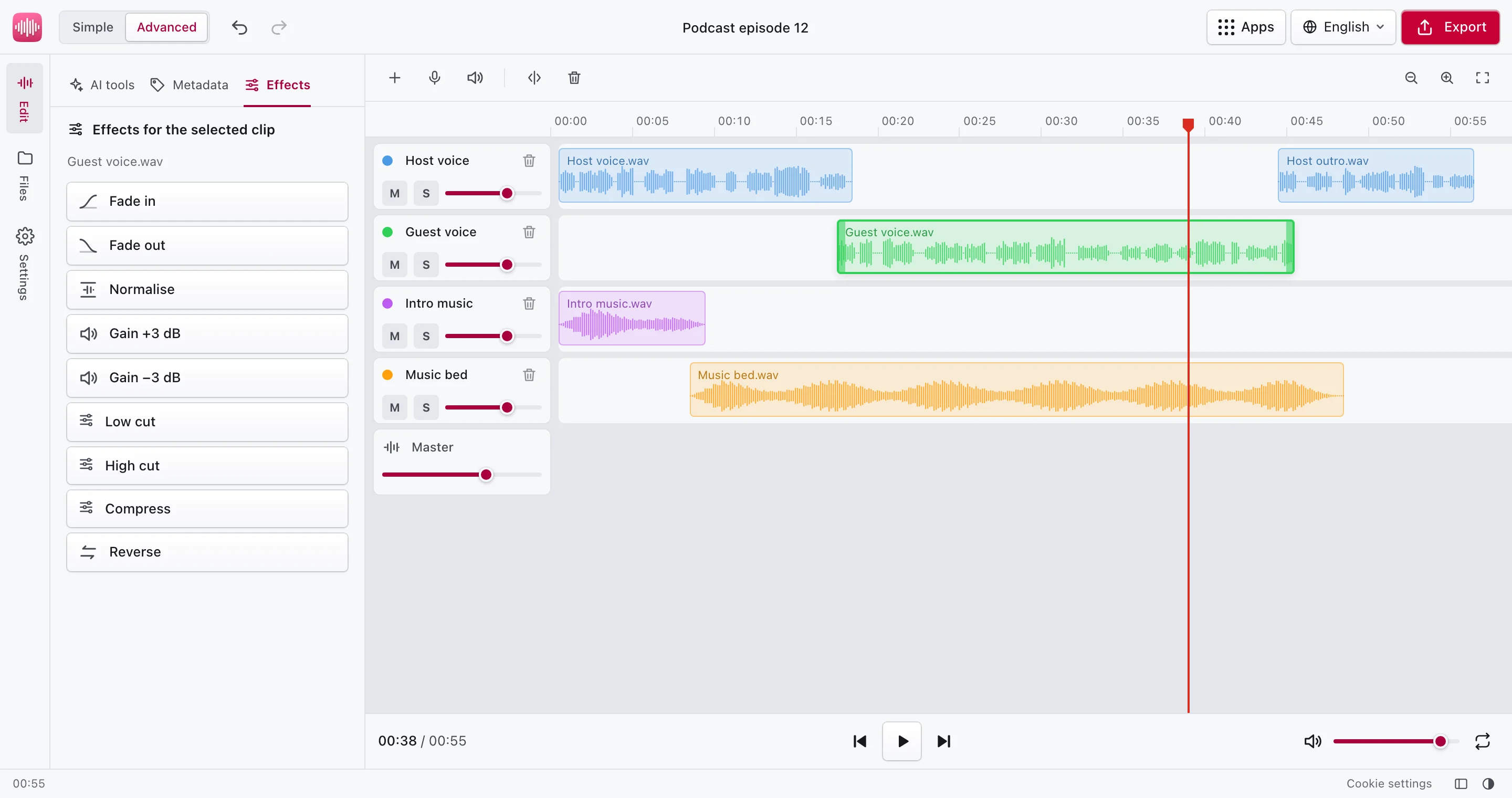
Edit audio right in your browser
Trim and cut, change the volume and the speed without changing the pitch, fade in and out, then export. Nothing to install, nothing uploaded.
Open the editorPrivate by design, not by promise
Scissor Audio does all its work in your browser tab. Recordings, voice memos and interviews stay on your device; there is no upload step and no server that could keep them.
Even the speech recognition runs on your device: the model is downloaded once from this site and kept by your browser. See how it works.
Why Scissor Audio
Private by design
Files are processed in your browser tab and never uploaded. There is no server that could hear, keep or leak them.
Fast, even offline
Nothing to upload or wait for. After the first visit the tools work without a connection.
Free, no strings
No sign-up, no file limits, no watermarks and no ads.
Questions
Are my audio files uploaded?
No. Every tool reads your file in the browser tab and writes the result there. Nothing is sent to a server, which you can check in your browser's network panel.
Is Scissor Audio free?
Yes. There is no sign-up, no subscription, no file size limit and no watermark. The work happens on your own device, so it costs us nothing per file.
How does audio to text work without a server?
It uses Whisper, an open speech recognition model by OpenAI. Scissor Audio downloads it once from its own server, about 80 MB, and your browser runs it with WebAssembly.
Which files can I open?
The MP3 tag editor opens MP3 files. Audio to text opens anything your browser can play: MP3, WAV, M4A, AAC, OGG, Opus, FLAC and WebM, and the sound of MP4 and MOV videos.
Does it work offline?
Yes. After your first visit the pages are kept by your browser, and the speech model stays cached once downloaded.